.svg)

.svg)


Every renewal cycle comes down to the same questions. Who's staying? Who's shopping? And what would it take to change their mind? This month, Renew starts answering them, resident by resident.
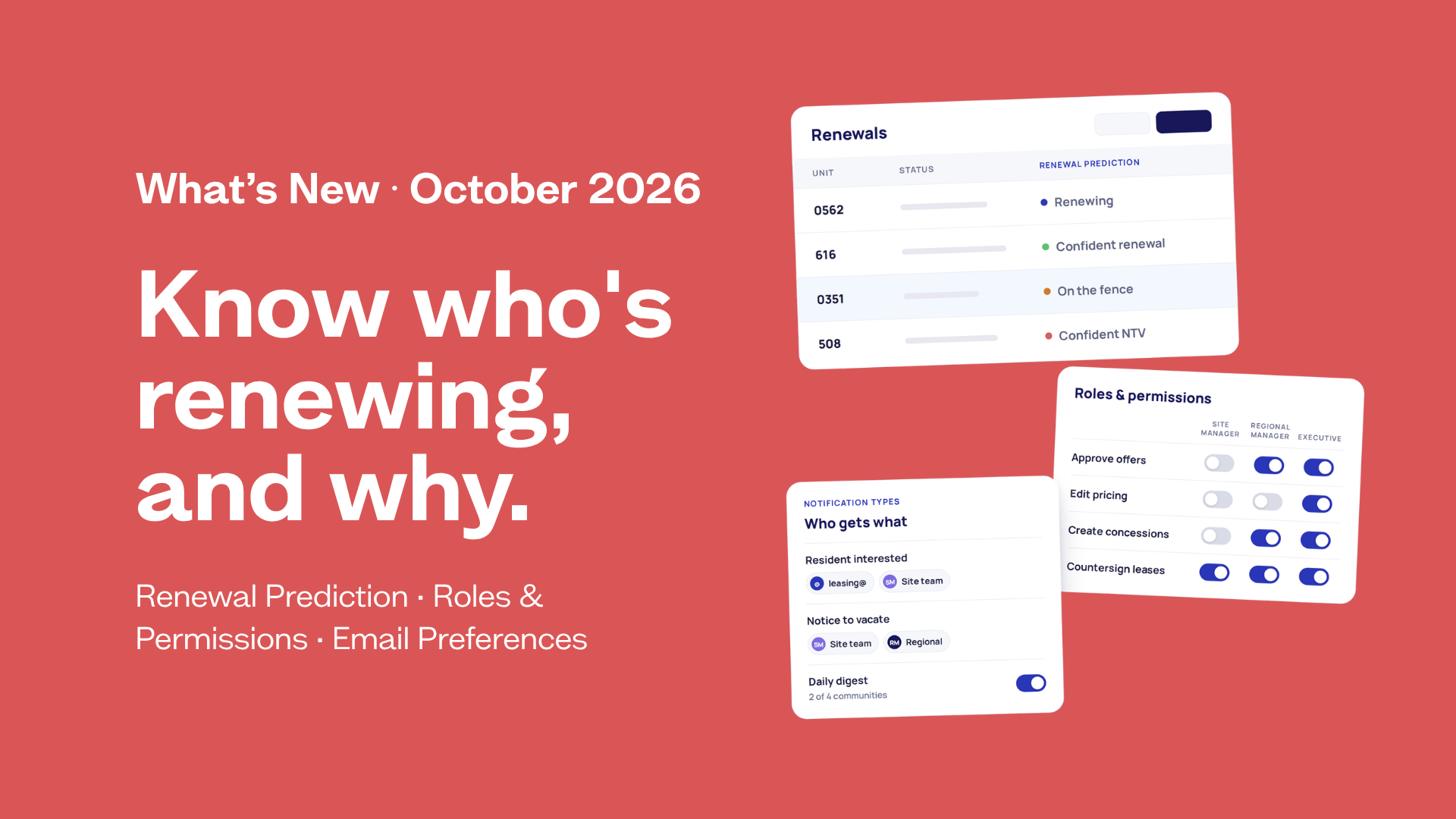
Meet Predicted Outcome. For each resident, Renew now shows whether they're likely to renew or move out, how likely, and the top factors behind it. For residents at risk of moving out, it also suggests a next step. We're also giving admins more control over who on their team can do what with Roles & Permissions, and letting every user choose which Renew emails they get, and where.
Here's what's new at Renew this October, and how it helps your team act sooner on the renewals that matter most.
Predicted Outcome: Know who's renewing, and why.
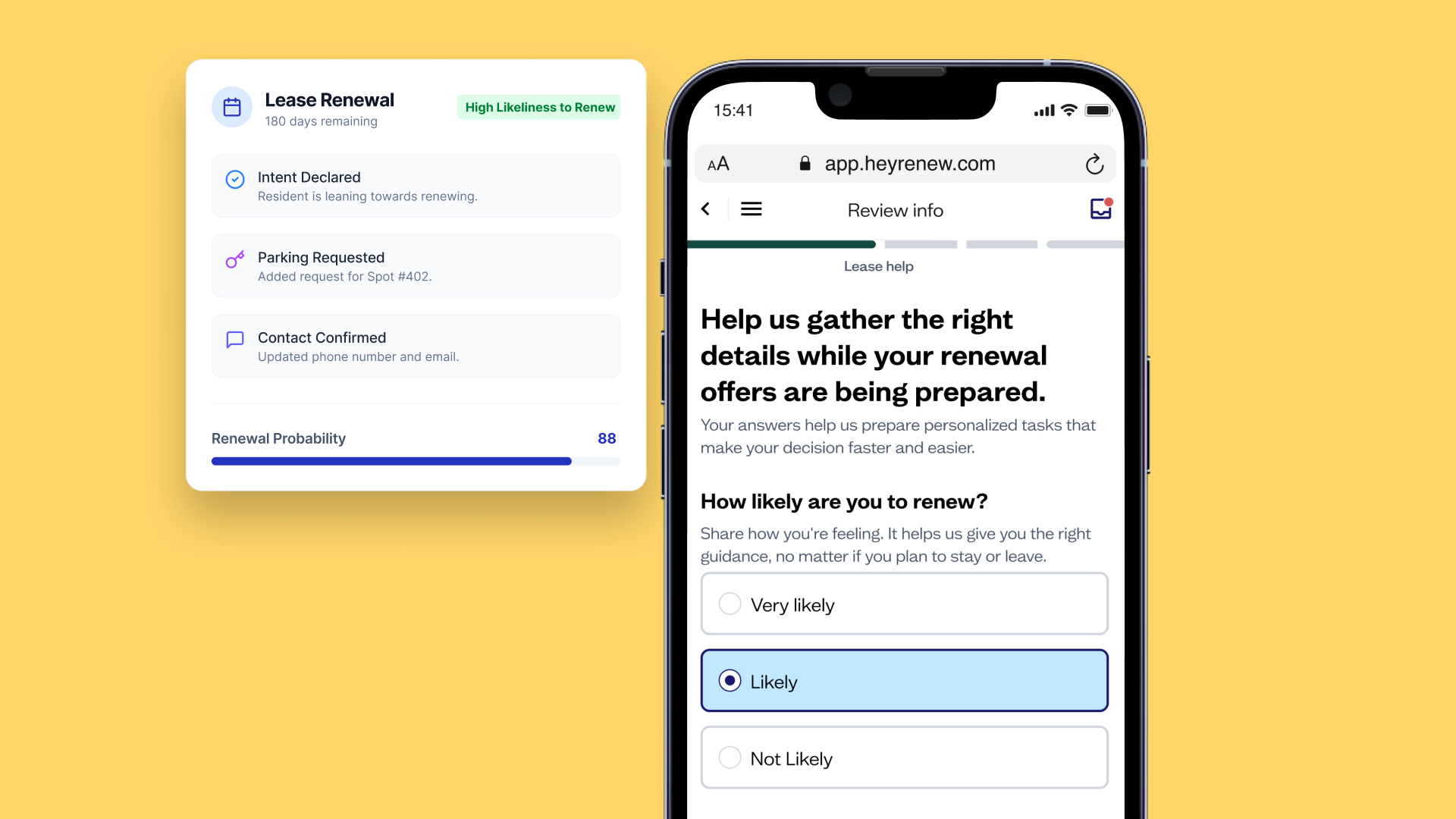
A renewal decision rarely comes out of nowhere. It shows up in how a resident responds to their offer, how their rent compares to asking rents on vacant units at your property, how they rate their experience, and how they engage with their renewal. Renew brings those signals together into a predicted outcome for each resident, like "Renewing · 78%" or "Moving out · 61%."
And it's more than a number. Each prediction comes with the factors driving it and, for residents at risk, a recommended next step. Your team knows where to focus, what to say, and which lever to pull, while there's still time to change the outcome. Predictions refresh every hour and get sharper as the renewal moves along. When a resident makes their decision, the prediction is replaced by what they actually chose.
What's new
- A predicted outcome on each lease. See whether a resident is likely to renew or move out, and how likely, on the Signal page and on Renewal Offers, in both the table and the lease details.
- The "why" behind every prediction. Up to three plain-language factors explain each prediction, like "Rent increase offered," "Viewed their offer," or "Resident satisfaction."
- A recommended next step for residents at risk. For residents likely to move out, Renew points to the move most worth making: review the renewal offer, address survey issues, offer a transfer to another unit in your portfolio, or prioritize outreach. Renew also flags any resident without an email on file, so outreach doesn't miss them.
- A read on the whole portfolio. A summary at the top of Signal and Renewal Offers shows what share of undecided leases are predicted to renew, and whether renewals are looking strong, mixed, or trending weak. You can filter and sort by predicted outcome, and it's included in your Renewal Offers CSV export.
Why it matters
- Start where it counts. Filter to the residents predicted to move out and begin your outreach there, instead of working the list from top to bottom.
- Walk into every conversation prepared. Know what's likely on a resident's mind before you pick up the phone. Fix what's driving them away, and save concessions for the residents who need them most.
- Fewer surprises at turnover. A clearer view of likely move-outs, and how the whole cycle is trending, helps you plan turns and vacancy sooner.
Roles & Permissions: Everyone can see it. The right people sign off.
As more of your team works in Renew, from site staff to regional leaders to corporate, the question changes from "who has access?" to "who should do what?" Now you decide.
Admins can build their own team in Renew, assign roles, scope each person to the right communities, and choose what each role can do at their company, one toggle at a time. Nothing changes until you change it: every role starts with exactly the access it has today.
What's new
- Self-serve user management. Add, edit, and deactivate teammates right in Renew. Update roles and community access, and filter by community to see who has access to any property.
- Your roles, your rules. Basic User, Manager, and Admin come with today's defaults. Admins decide what each role can do at their company: approve offers, edit pricing, create concessions, reset renewal decisions, and countersign leases and notices.
- Portfolio defaults, community exceptions. Set a policy for your whole organization, then override it for specific communities. Renew shows you where a community differs from the default, so there are no surprises.
- Scoped Admin. Give someone admin-level control over just the communities they oversee, not the whole portfolio.
Why it matters
- Review wide, approve narrow. Site teams keep full visibility into offers and resident context, while approvals and signatures stay with the people accountable for them. Restricted actions show as locked, with a note to contact an admin, instead of disappearing without explanation.
- Your team, managed by your team. Onboarding a new manager or offboarding someone who's left takes minutes, right from your settings.
- Governance that fits how you operate. Whether you're centralized or site-led, set guardrails at the top and let communities run within them. You can also open Renew to more of your team, knowing the right people are still in control.
Email Preferences: The right emails. The right inboxes.
A new regional manager needs the offer digest. Someone who's moved on doesn't. Your leasing inbox needs every lead notification. With Email Preferences, your team can make each of those changes in seconds, right from Renew.
What's new
- Manage your own notifications. Turn each type of Renew email on for all of your communities, just a few, or none.
- Shared addresses. Send notifications to shared inboxes like leasing@ or a distribution list, without making them Renew users, across as many communities as you need.
- One home for routing. Your settings in Renew are now the place to manage who gets what.
Why it matters
- Changes in a few clicks. When your team changes, your emails change with it. You can add or remove someone from any email as soon as it comes up.
- More signal, less noise. Each person gets the emails that fit their role and their communities, and nothing extra.
- Nothing slips through. Shared inboxes get the notifications your team depends on, even when no one person owns them.
Know an operator who's been waiting for this kind of visibility?
Submit a referral HERE. Eligible referrals get a gift card or Renew credits, subject to your company's gift policy.

.png)
.png)
.png)
.png)
.png)
.png)
.png)
.png)
%20(1).png)
.png)
.png)
.png)
.png)
.png)
.png)
.png)

.png)
.png)
.png)
.png)
.png)
.png)
.png)
.png)

.png)
.png)

.png)

.png)






.png)
.png)
.png)