.svg)

.svg)


%20(1).png)
July is all about giving you more control. Renew now lives right where you already work with our new browser extension. Plus, sharper reports and smarter concessions. Here's what's new and why it matters.
Introducing the Renew Browser Extension: Your renewal data, right where you work.
No more switching through tabs. No more extra logins. A side panel on your browser for Chrome and Microsoft Edge, built for Renew users. Open it alongside any tab to manage renewals, audit leases, and read resident behavior. All from where you’re already working, no separate login required.
Why it matters
- One panel for every renewal. All searchable and filterable from a single screen.
- No Voyager? No problem. Browse modules, search, and drill into residents with zero PMS integration.
- Using Voyager? Even better. Open any resident page, and we'll detect them automatically, showing their status and days remaining, with a one-click jump into Renew.
What's inside
- Renewal Offers — Track every offer in one view. Sort, filter, and drill into any resident for full details.
- Lease Audit — Catch discrepancies before they become problems. Compare Renew, your PMS, and the signed lease side by side, and resolve issues with inline comments.
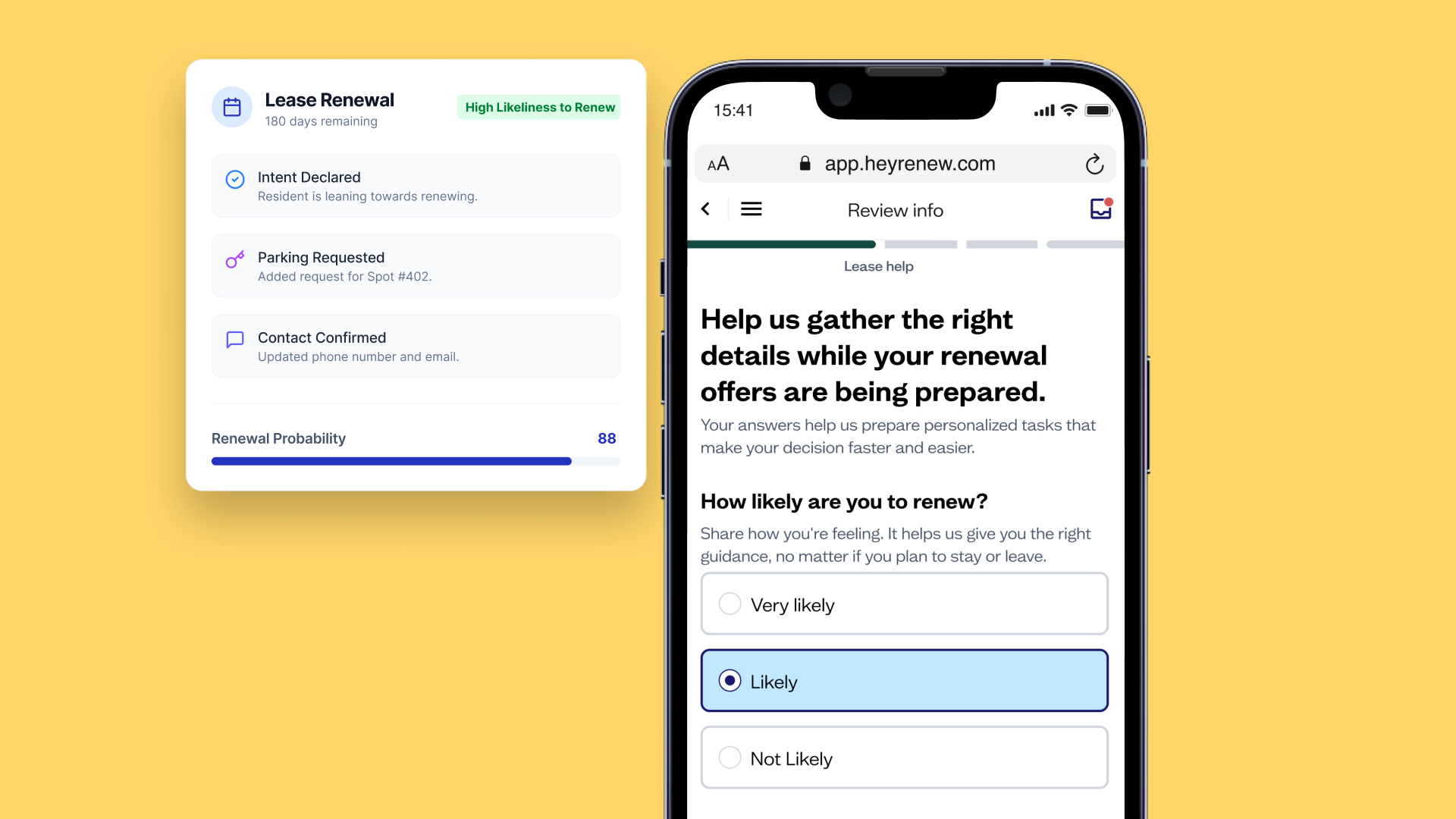
- Renewal Signals (coming soon) — Spot renewal likelihood, decision momentum, and the next best action before residents ever give notice.
- Resident Drill — Everything about a resident's renewal in one place. Four tabs, the full story, one click.
Install in under two minutes
- Open the listing within the Chrome Web Store (also works in Edge)
- Click "Add to Chrome" — it installs automatically
- Click the Renew icon to open the side panel
- Sign in with your Renew account
- Click any module to get started 🎉
Missing a module? Your home screen only shows what's included in your plan. Reach out to your Renew contact to add more!
Upgraded Reports: Faster, better, on autopilot
We rebuilt the Reports tab from the ground up. Same data, better engine, plus features you've been asking for.
Why it matters
- Faster dashboards. Cleaner data means less waiting and more answers.
- The right data for the right role. Site, regional, executive - everyone sees exactly what they should.
- Reports that run themselves. Schedule once and stop pulling the same numbers every week.
What you'll notice
- Filters got a facelift.
- The Current Renewals tab is gone, but the data isn't. It's just in a better place.
- Standalone tables have been replaced with a new workflow.
- Exports and drill-downs work a little differently. Same destination, smarter route.
Been using Renew for a while? You might notice a few workflows have moved. If you get stuck, reach out—we'll help you find what you need.
New: Scheduled email reports. Set the cadence, we'll handle the rest.
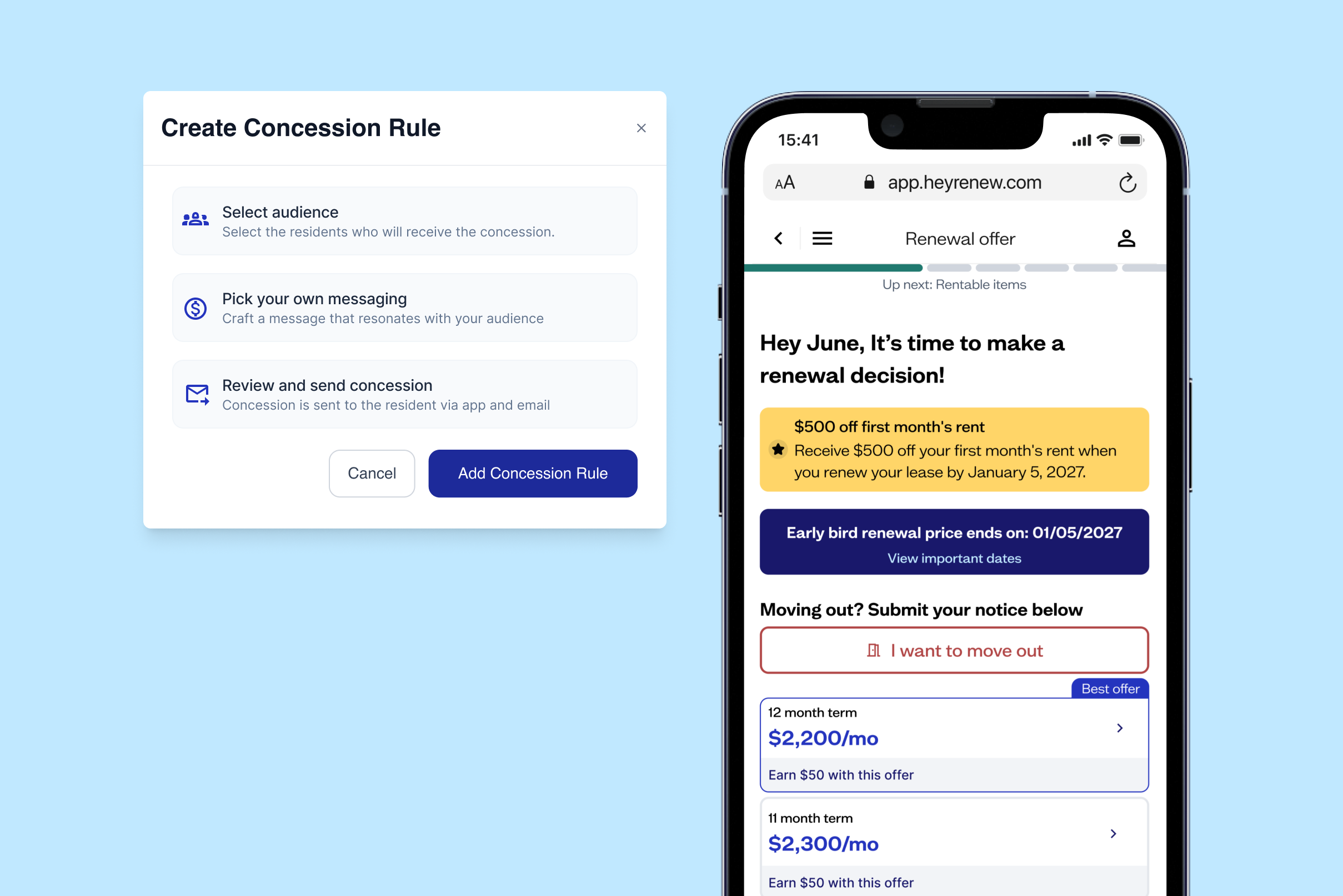
Concessions Upgrades: More control, less babysitting
Better control over how, when, and to whom concessions apply.
Why it matters
- Built-in guardrails. Set redemption limits so offers can't be over-claimed.
- Target w. Apply concessions to specific offers and lease types, on a schedule with the same tiered flexibility you'd expect with new leases.
- Set it and forget it. No more manual tracking when incentives shift.
What's new
- Redemption limits. Cap how many times a concession can be claimed.
- Offer-specific targeting. Apply concessions to the exact offers you choose.
- Scheduled tiers. Automatically switch between early bird, standard, and late-stage incentives.
- Lease type targeting & floor plan targeting —Yardi only
Know an operator who needs resident retention intelligence? Submit a referral HERE. Eligible referrals get a gift card or Renew credits, subject to your company's gift policy.


.png)
.png)
.png)
.png)
.png)
.png)
.png)
.png)
.png)
.png)
.png)
.png)
.png)
.png)
.png)

.png)
.png)
.png)
.png)
.png)
.png)
.png)
.png)

.png)
.png)

.png)

.png)






.png)
.png)
.png)